Test Pages in the Wild: A Quarterly Audit for UK SMEs Leaking Staging URLs into Search
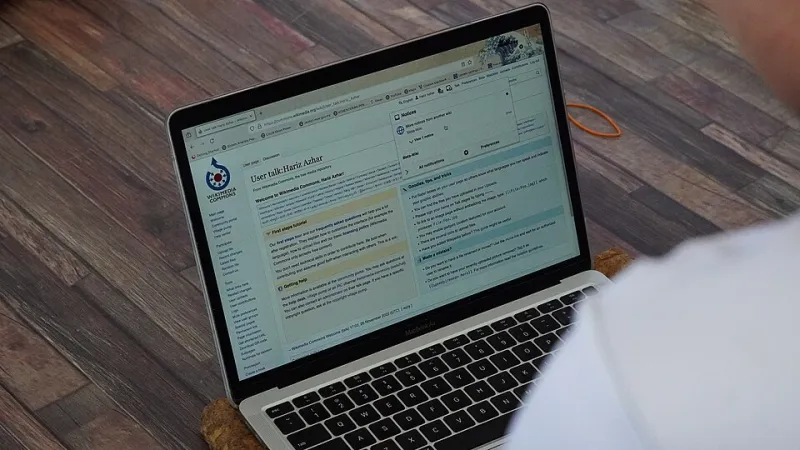
Photo: Geleparaplu, CC BY-SA 4.0, via Wikimedia Commons
A test page is a search result waiting to happen
Staging sites are built to be temporary. They are also built quickly, often with weaker access controls than the live site. A UK SME may launch a new section, hand the preview link to a client or leave an old development domain running after go-live. Months later, a search engine has crawled the test pages, indexed a few URLs and started treating them as part of the site. The result is duplicate content, diluted signals and, occasionally, a public-facing page that was never meant to be seen.
The problem is rarely one dramatic failure. It is usually a collection of small omissions: a missing authentication prompt, a robots.txt file copied from production, a canonical tag pointing at the staging host, or a sitemap that still lists last year’s test pages. For an SME without a developer on retainer, the practical question is how to find these leaks before they affect the live site.
The usual leaks
A staging domain becomes indexable when it is publicly reachable and search engines are allowed to crawl it. That can happen when the host is something like staging.example.co.uk, a platform preview URL, or a temporary IP address. If the site is not behind authentication and there is no noindex instruction, a crawl is possible. A robots.txt file that allows crawling makes it easier, but it is not the only route: search engines can index a URL that is linked from elsewhere even if robots.txt blocks crawling.
Preview URLs are another common source. CMS platforms and page builders generate shareable links for client review. Those links may be indexed if they are posted in a public forum, included in an email that is later forwarded, or linked from a live page by mistake. On the live domain itself, forgotten test pages such as /home-new, /test-page or /campaign-preview can linger after launch. They compete with the intended page, split internal links and sometimes expose pricing, copy or contact details that were never approved.
Canonical tags can make matters worse. A staging page that declares the live URL as canonical is giving a signal, but it is not a guarantee of exclusion. A live page that declares a staging URL as canonical is a direct instruction to search engines to prefer the test version. Sitemap hygiene matters for the same reason: a sitemap that includes staging or test URLs invites crawlers to treat them as first-class pages.
What good staging hygiene looks like
Good practice uses defence in depth. Put staging behind authentication, add an X-Robots-Tag: noindex HTTP header across the staging host, and use robots.txt as an additional control, not the only one. Keep staging out of public sitemaps. Ensure that live pages use self-referencing canonicals, and that test pages either redirect to the live equivalent or return a clear removal signal. When a staging environment is retired, take it offline rather than leaving an unmanaged copy running.
Authentication is the strongest control because it prevents access altogether. If authentication is impractical for a client preview, use a time-limited link and remove it after approval. Do not rely on a difficult-to-guess URL as a security measure. Search engines and third parties can discover links through referrals, browser extensions and public posts.
A quarterly audit without a developer
A small firm can run a useful check in under an hour each quarter. Put it in the diary for the first working week of January, April, July and October 2026, and record the results in a shared spreadsheet. The aim is not a full technical audit. It is to catch obvious leaks and create a trail for escalation.
1. Search the obvious hostnames
Use Google and Bing to run site queries for likely staging hosts, such as site:staging.yourdomain.co.uk and site:preview.yourdomain.co.uk. Search the live domain for terms such as test, staging, preview and dev, for example site:yourdomain.co.uk test. Also search for the brand name plus staging. Record any indexed URLs and the date checked.
2. Inspect Search Console
Open the Pages report in Google Search Console and review indexed URLs for hostnames or paths that should not be public. Use URL Inspection on any suspicious page. Check the sitemaps report for staging or test URLs. If the business uses a domain-level property, the performance report can be filtered by page to identify unexpected hosts. This is not a complete substitute for a crawl, but it is a practical first pass.
3. Check headers, meta tags and authentication
Open a suspected staging URL in a private browser window. If the page loads without a login prompt, it is publicly reachable. View the page source and look for a noindex meta tag. Ask the host or use a simple header-checking tool to confirm whether an X-Robots-Tag header is present. Remember that a robots.txt disallow does not remove an existing indexed page; it only limits crawling.
4. Review sitemaps and canonicals
Open the live sitemap and search for staging, preview, test and dev. Remove any test URLs and resubmit the sitemap. On a sample of live pages, check that the canonical points to the live URL. On a sample of test pages, check whether the canonical or robots directive is sending the wrong signal. If a test page is a duplicate of a live page, a redirect to the live version is usually clearer than leaving both available.
5. Close the loop on old domains
List every domain and subdomain the business has used for development, campaigns or old brands. Confirm which are still live. Retire the ones that are no longer needed, remove DNS records where appropriate and revoke access for former agencies or freelancers. This step is often overlooked after a website migration or a change of supplier.
If a test page is already indexed
Do not simply delete the page and assume the problem is solved. If the test page duplicates a live page, redirect it to the live equivalent. If it is a staging page, apply authentication and a noindex header first, then use the Search Console removals tool for urgent cases. Allow time for recrawling and check back after a few weeks. Avoid blocking the entire live site with a broad robots.txt rule while trying to fix one test page.
Make it part of handover
Staging leaks are a governance issue as much as a technical one. Add staging domains, preview URLs and test pages to website handover checklists. Ask outgoing agencies to confirm that development environments have been removed or protected. For UK SMEs, the quarterly check is a modest habit that prevents a test page from becoming a live competitor to the real site.